Built for contractors, builders and developers
Know where every project’s money went.
Track expenses, supplier payments, and deliveries for every site, and see budget vs. actual while there is still time to act.
We set up your workspace within 24 hours and invite your team. Works on any phone or computer, in your currency and time zone.
- Runs in any browser on Android, iOS and desktop
- Set up with your company’s own currency and time zone
- Owners, site managers, accountants and clients each see only what they should
The problem
Site money lives in too many places.
Most overspending is found after the project is over. Brikvero shows it while you can still fix it.
Bills sit in chat threads.
Finding one means scrolling through hundreds of messages.
Totals never agree.
The site, the office, and the accountant each have a different number.
You pay for material that never arrived
A supplier bills for 500 bags of cement, 380 are delivered, and nobody checks.
Features
Everything about a project’s money, in one place.
One system from the first purchase to the final handover, organised by project and by phase.
Every bill, on record
Log purchases with a photo of the bill. Enter any two of quantity, unit price, and total, and Brikvero fills in the third.
Supplier debts and part payments
Track instalments and repayments. Debts move to Paid automatically.
Never pay for material that didn't arrive
Compare ordered vs received quantities per delivery. Incomplete orders are flagged after 7 days.
See overspending before it happens
Compare your BOQ budget with real spend, item by item, and export to Excel with live formulas.
Petty cash
A running balance per project, with a warning when it drops below your limit.
Commission
Track your fee at a set rate on project expenses, with the balance due.
Milestones and progress photos
Stages, dates, percent complete, and photo updates.
Roles and permissions
Control who can view or edit each page and each project.
Audit log and activity feed
A team feed, plus a record that no one can edit.
Product walkthrough
See Brikvero at work.
Explore the screens that connect project spending, outstanding payments and material deliveries.
Explore the workspace
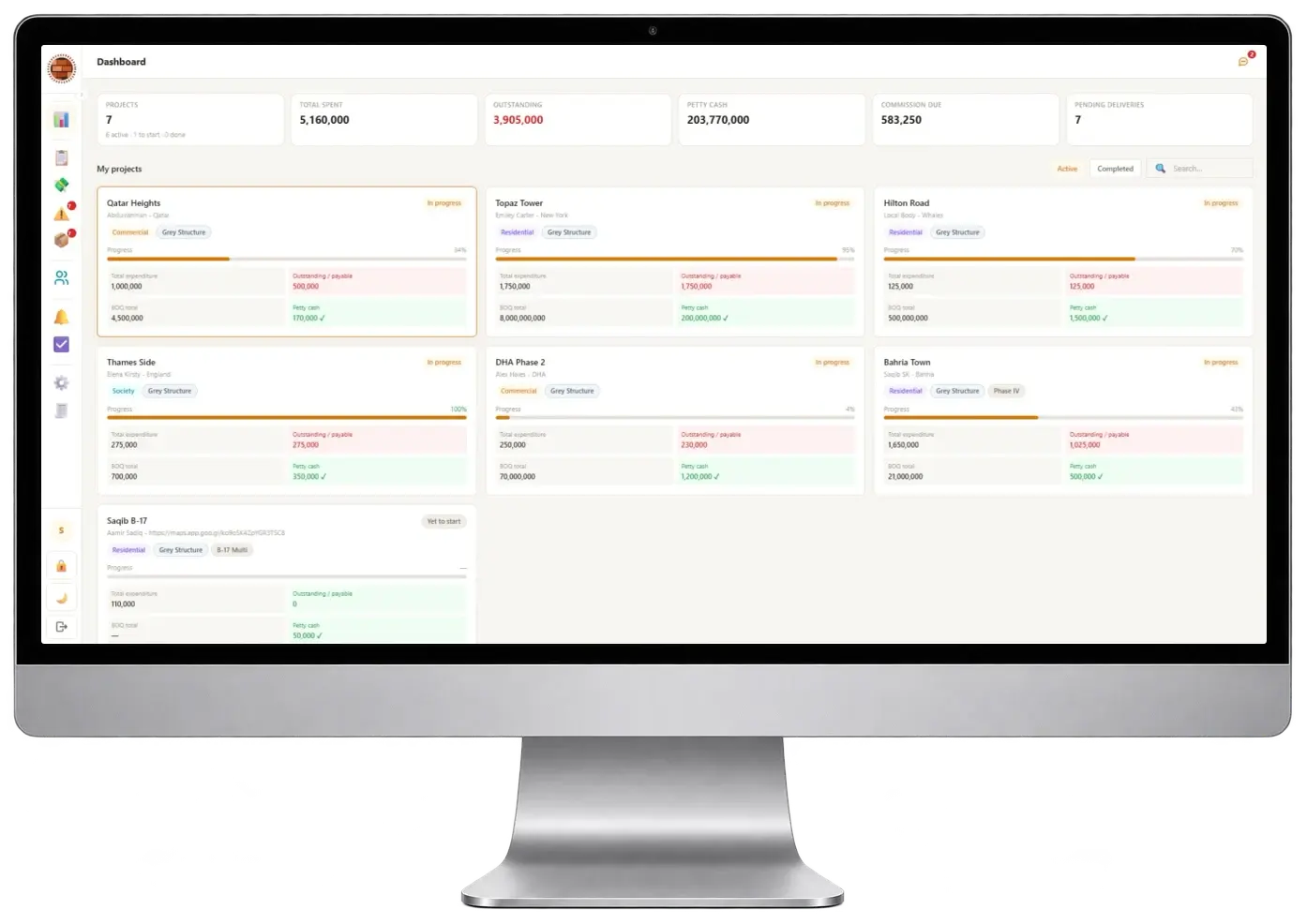
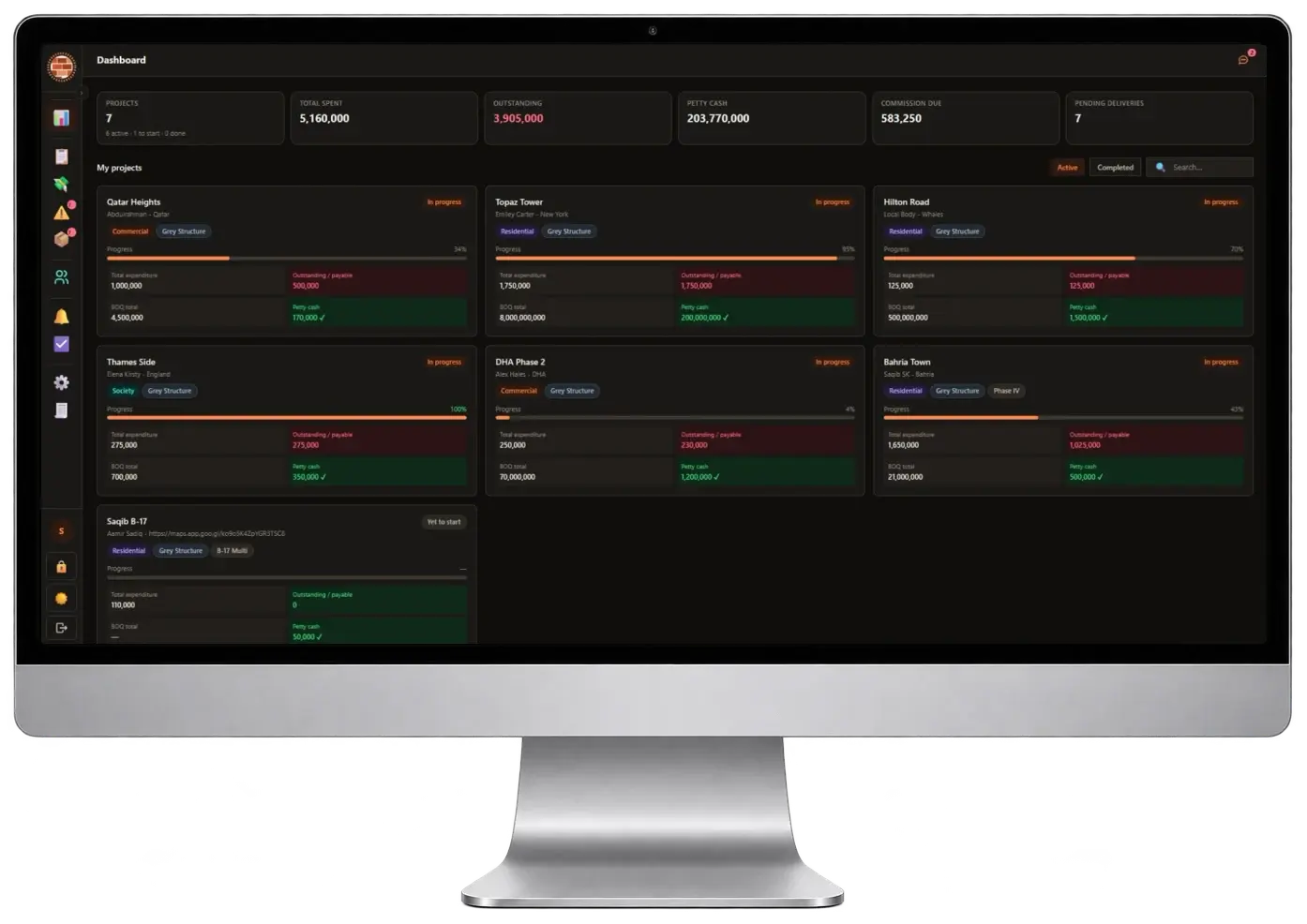
See every project at a glance.
Start with a single view of project progress, spending, outstanding balances and what still needs attention.
- Project progress
- Total spend
- Outstanding balances
Desktop layout study · One screen at a time
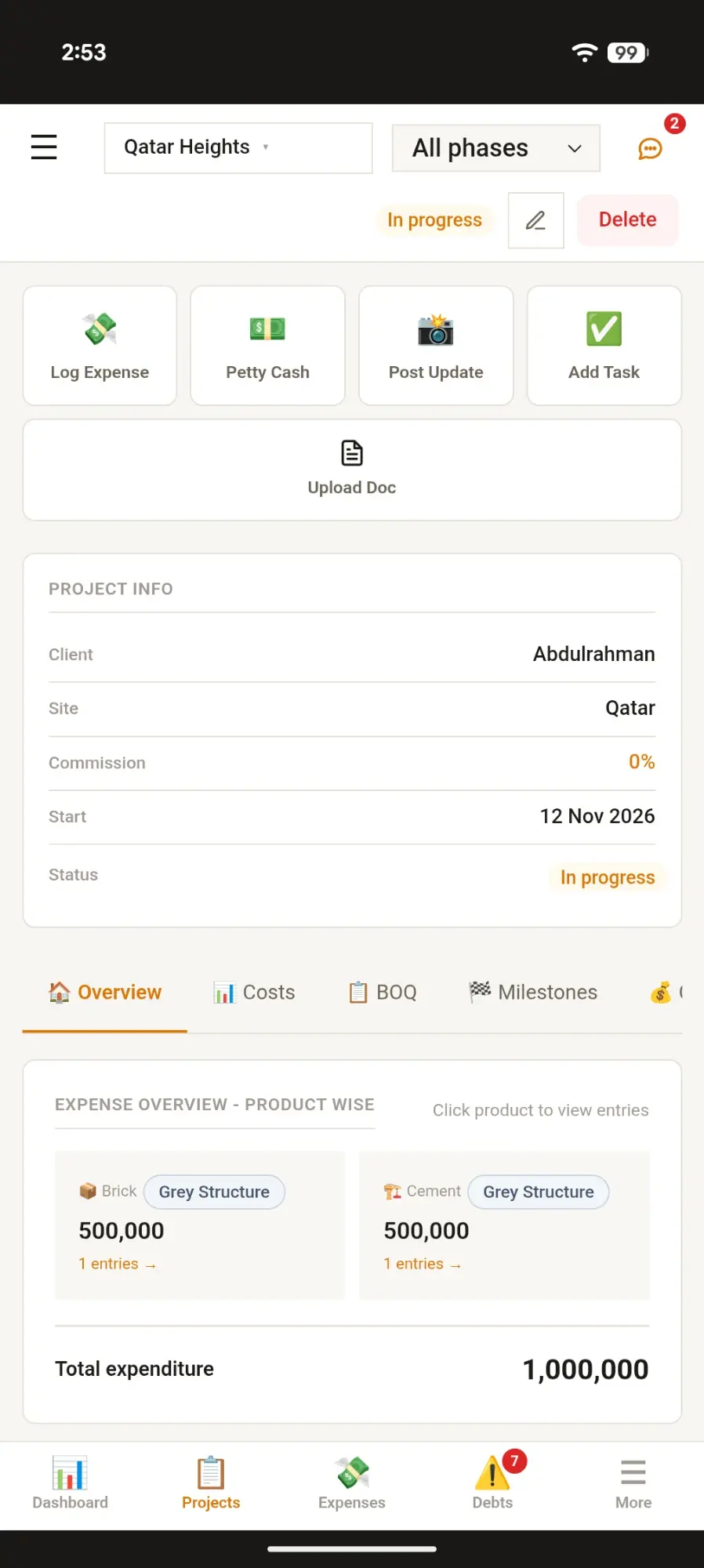
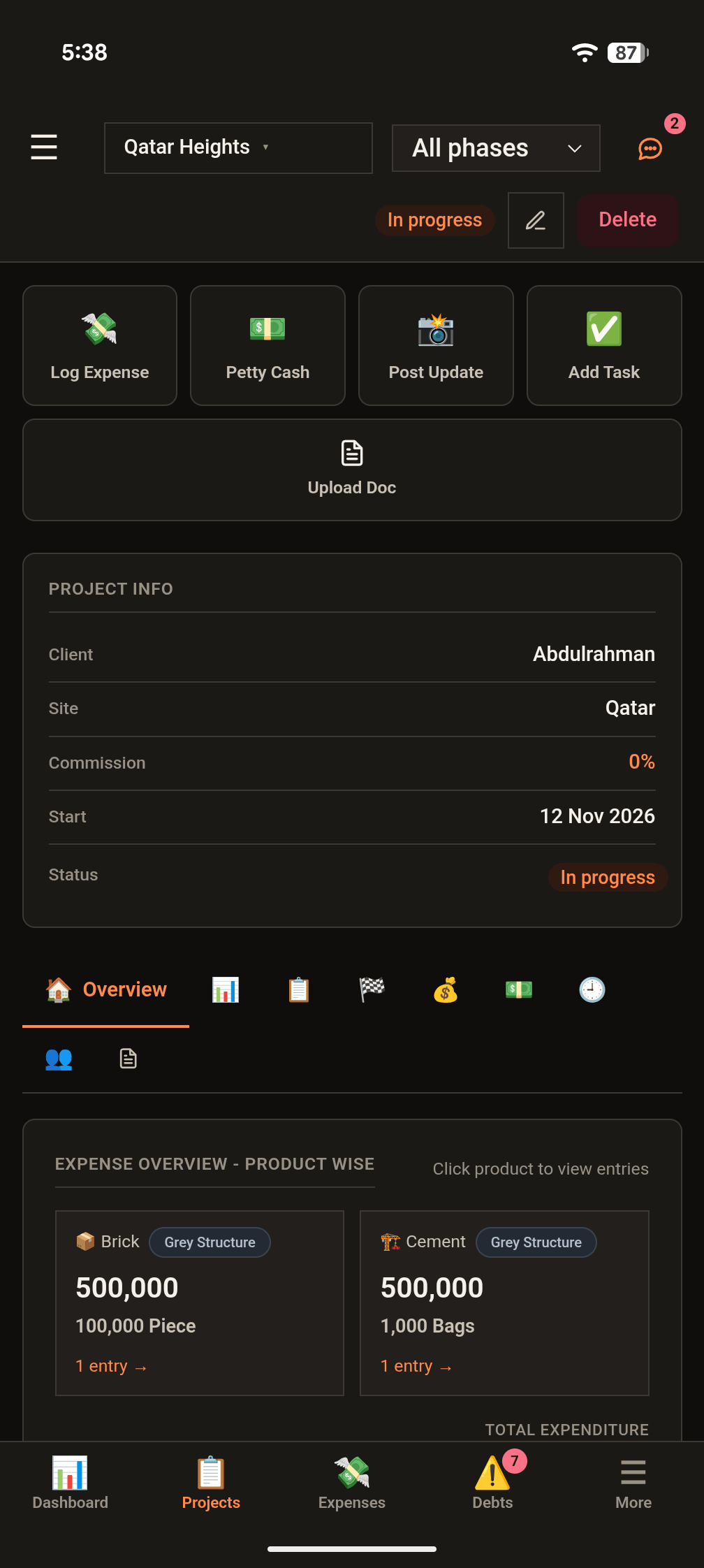
Brikvero in your hand
The whole site, on your phone.
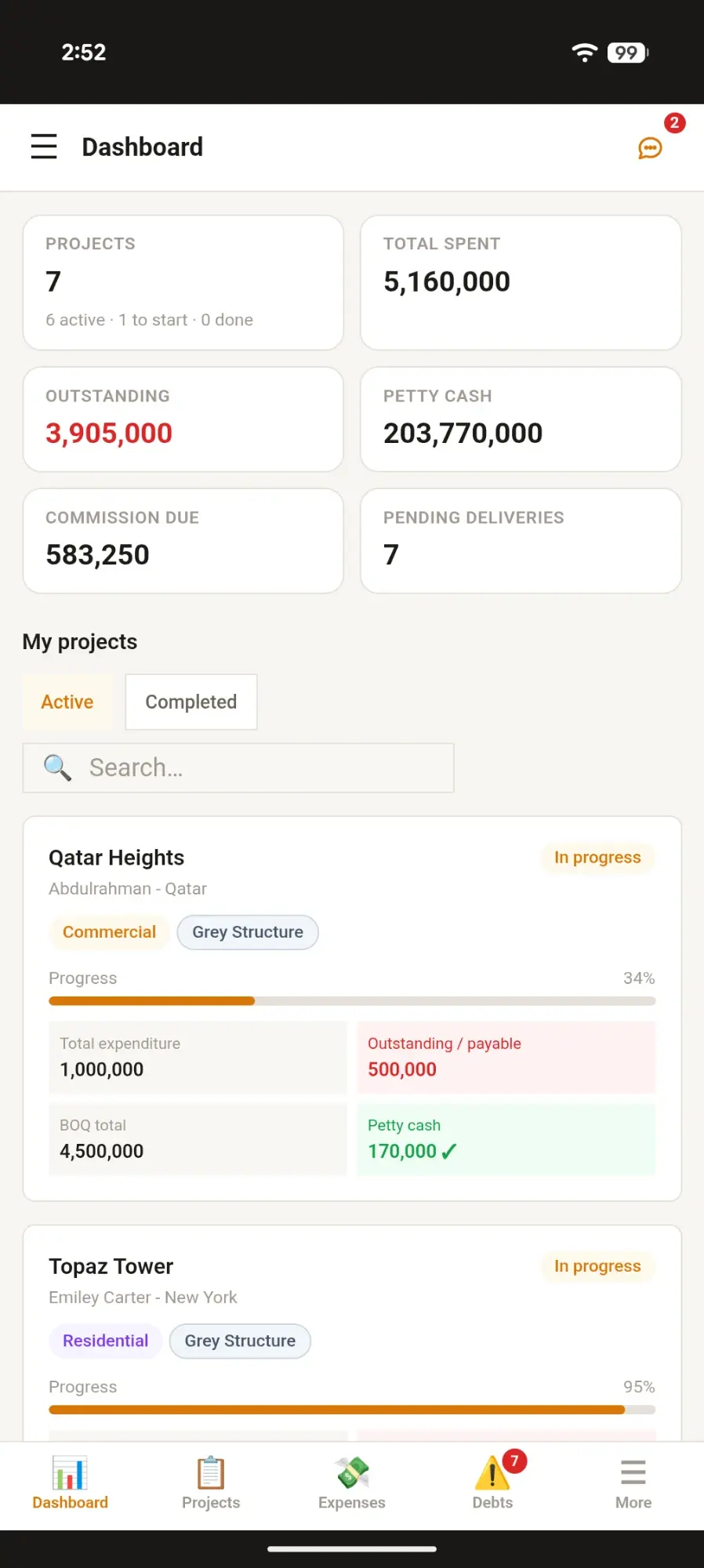
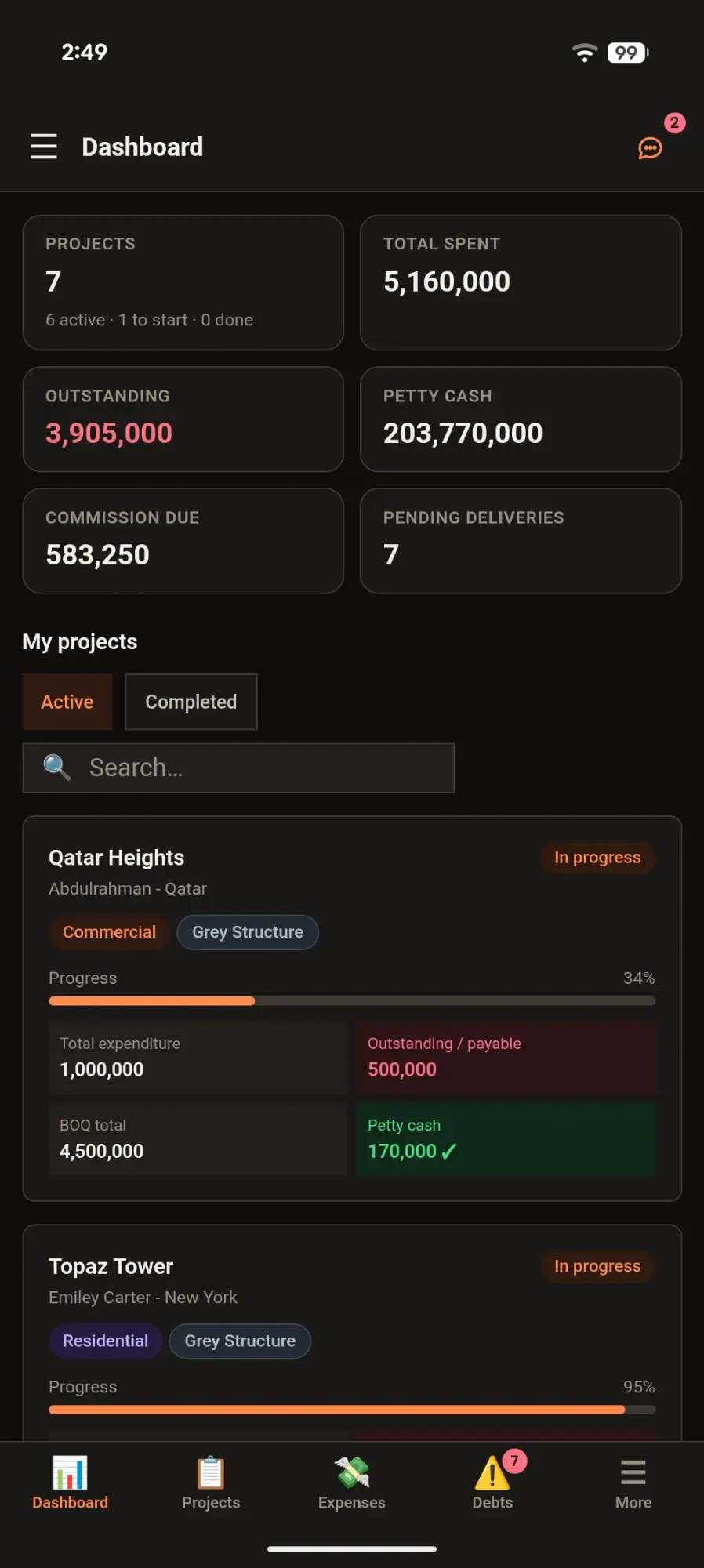
Every screen is sized for the site. Swipe through the app, or open any screen full-size.
01 / 6 · Dashboard
See every project at a glance.
Start with a single view of project progress, spending, outstanding balances and what still needs attention.
- Project progress
- Total spend
- Outstanding balances

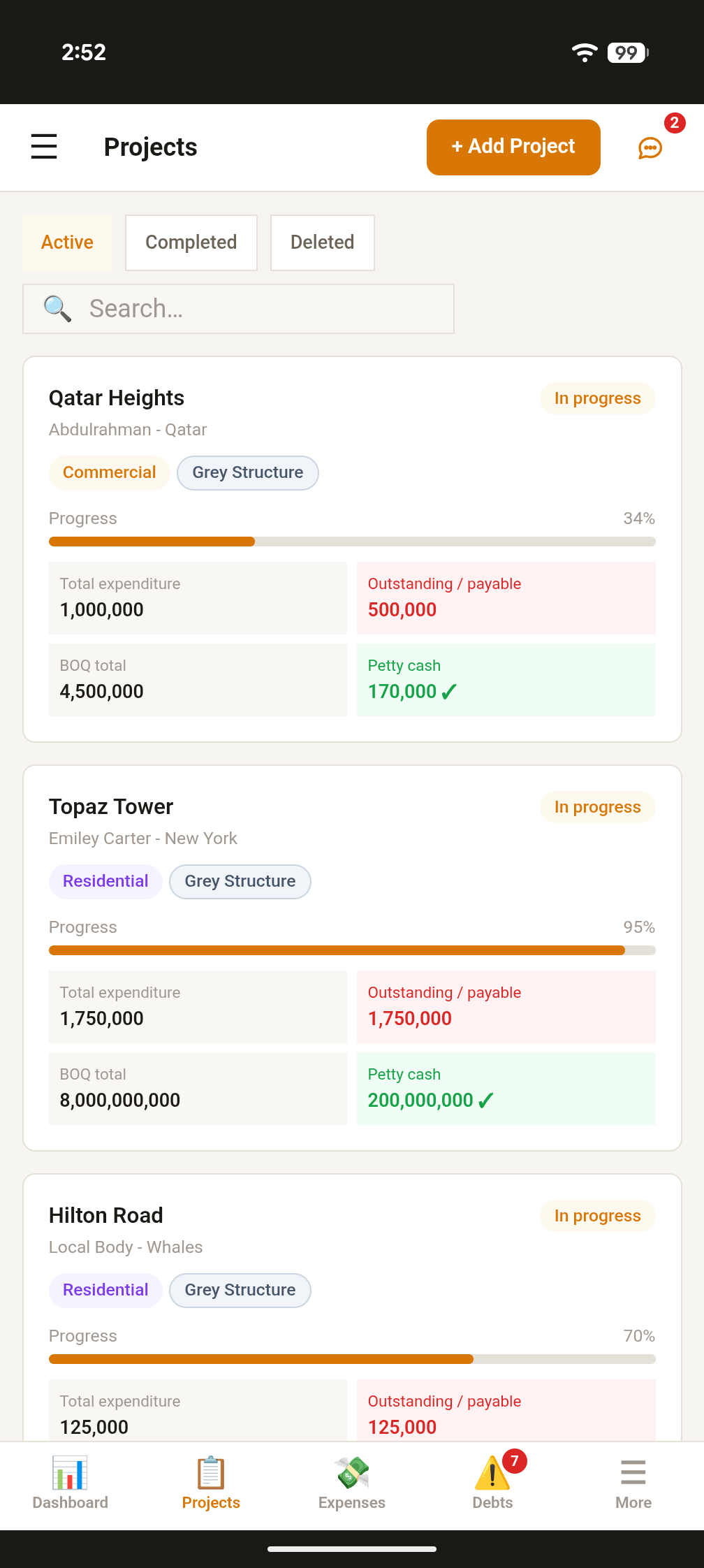
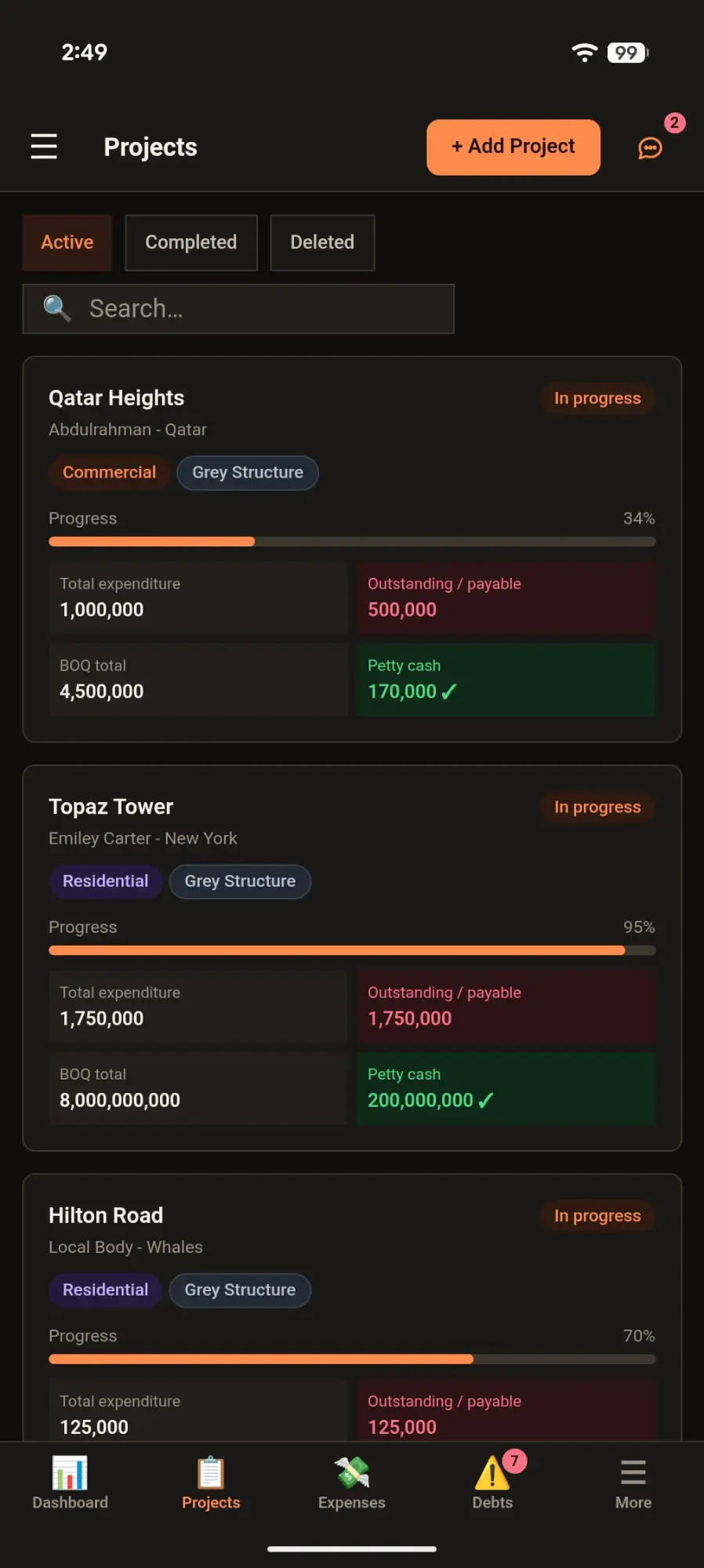
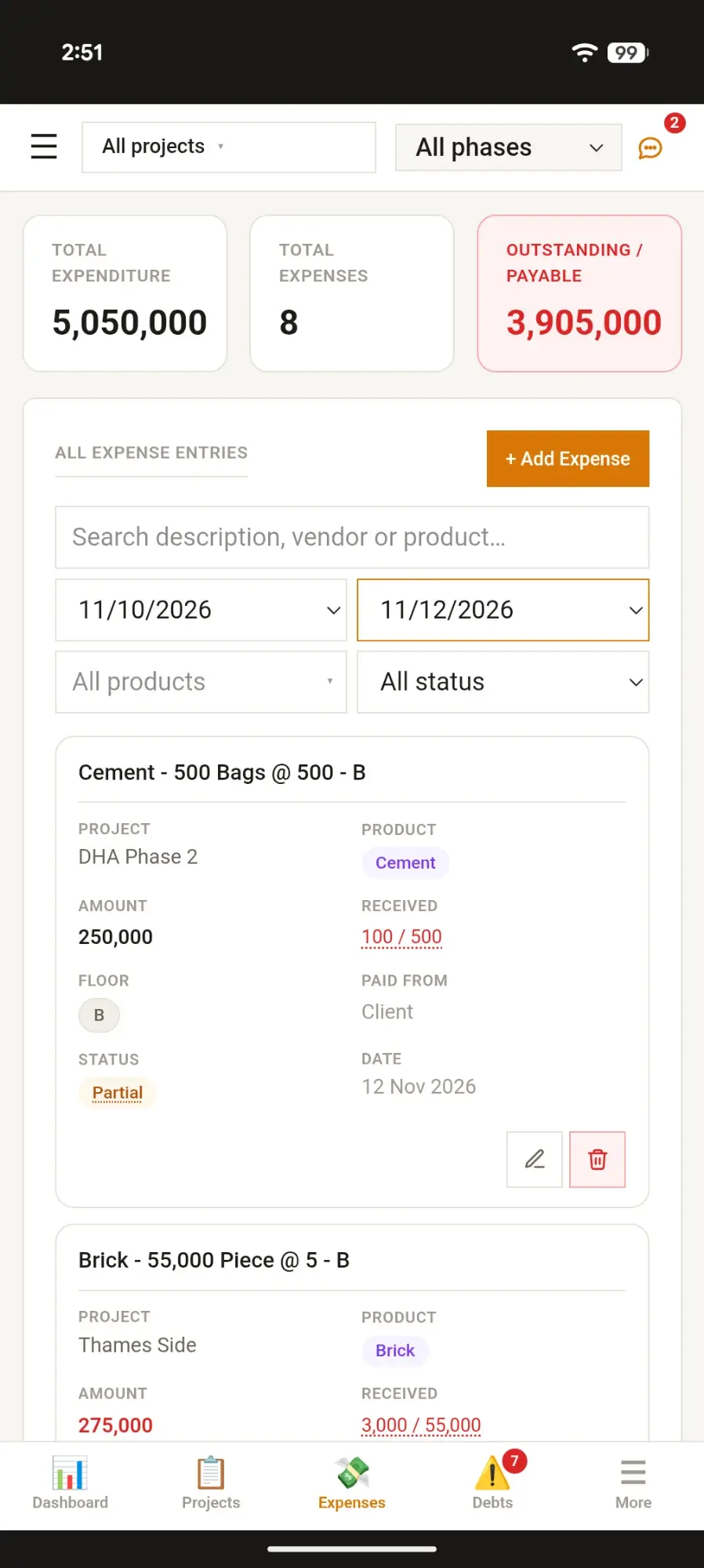
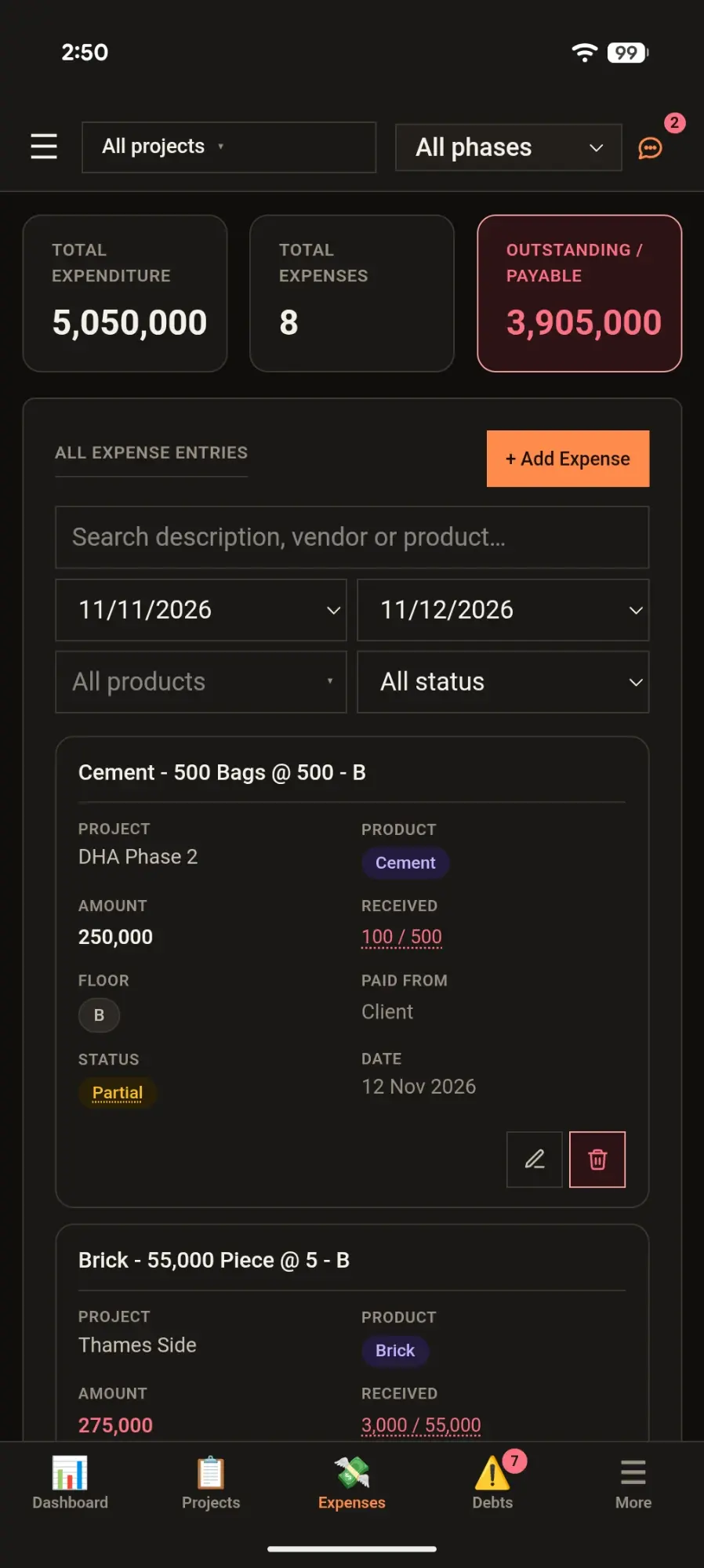
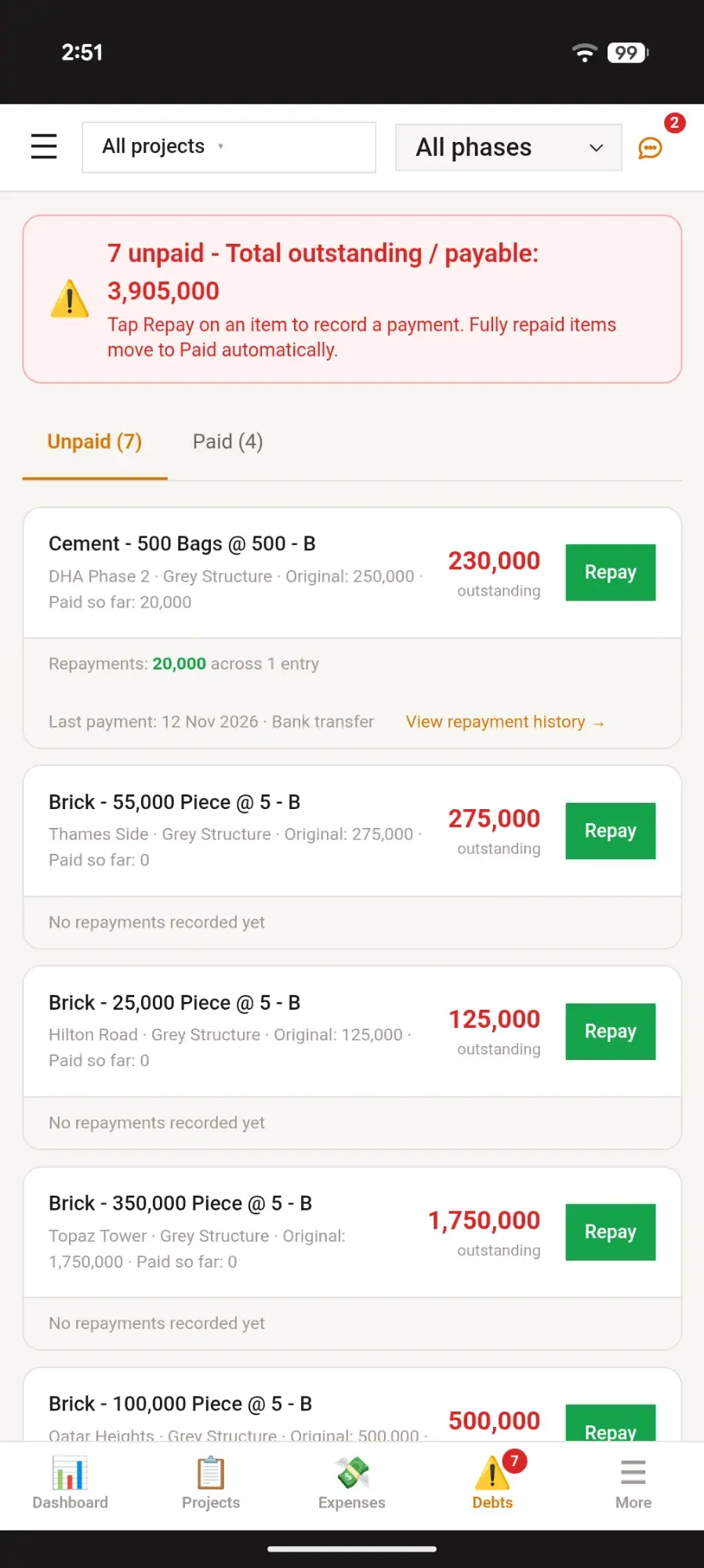
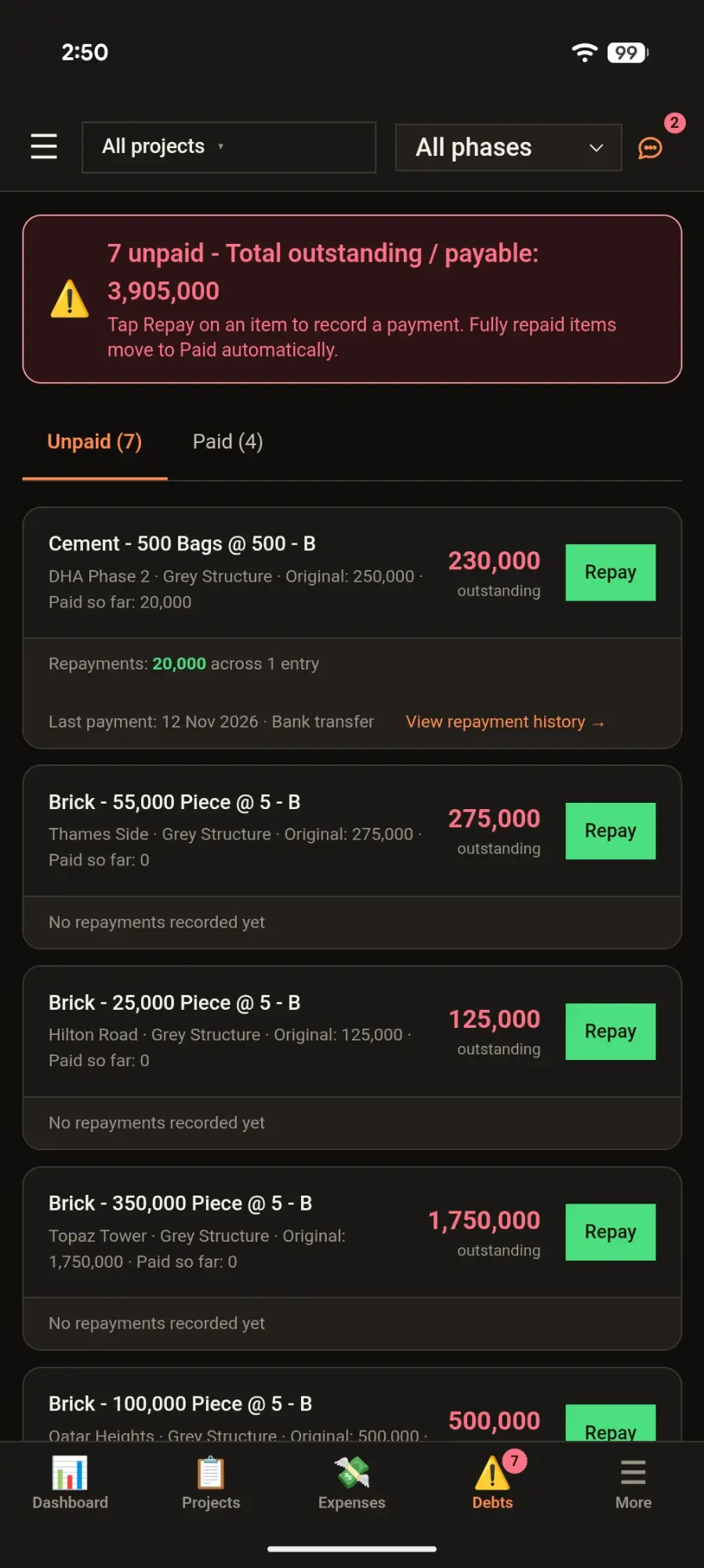
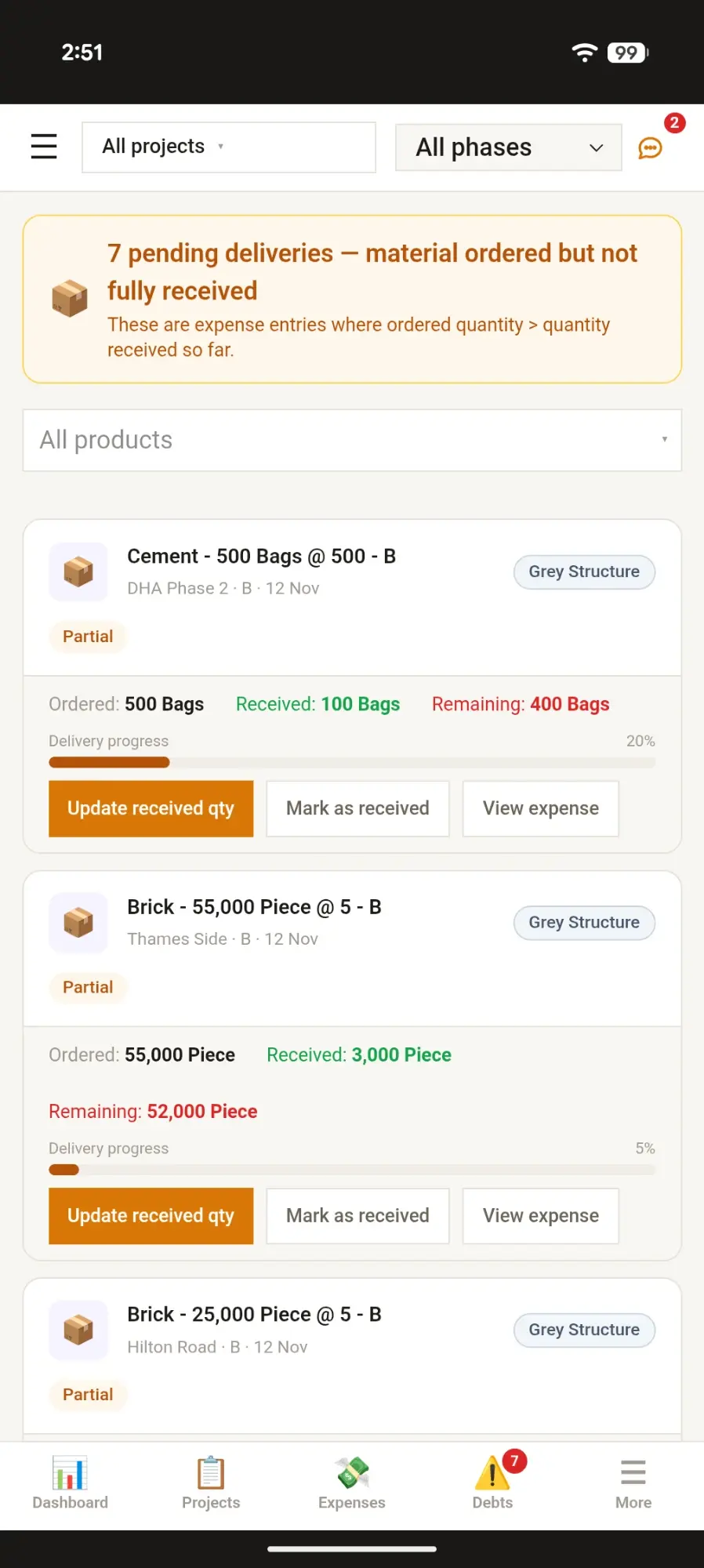
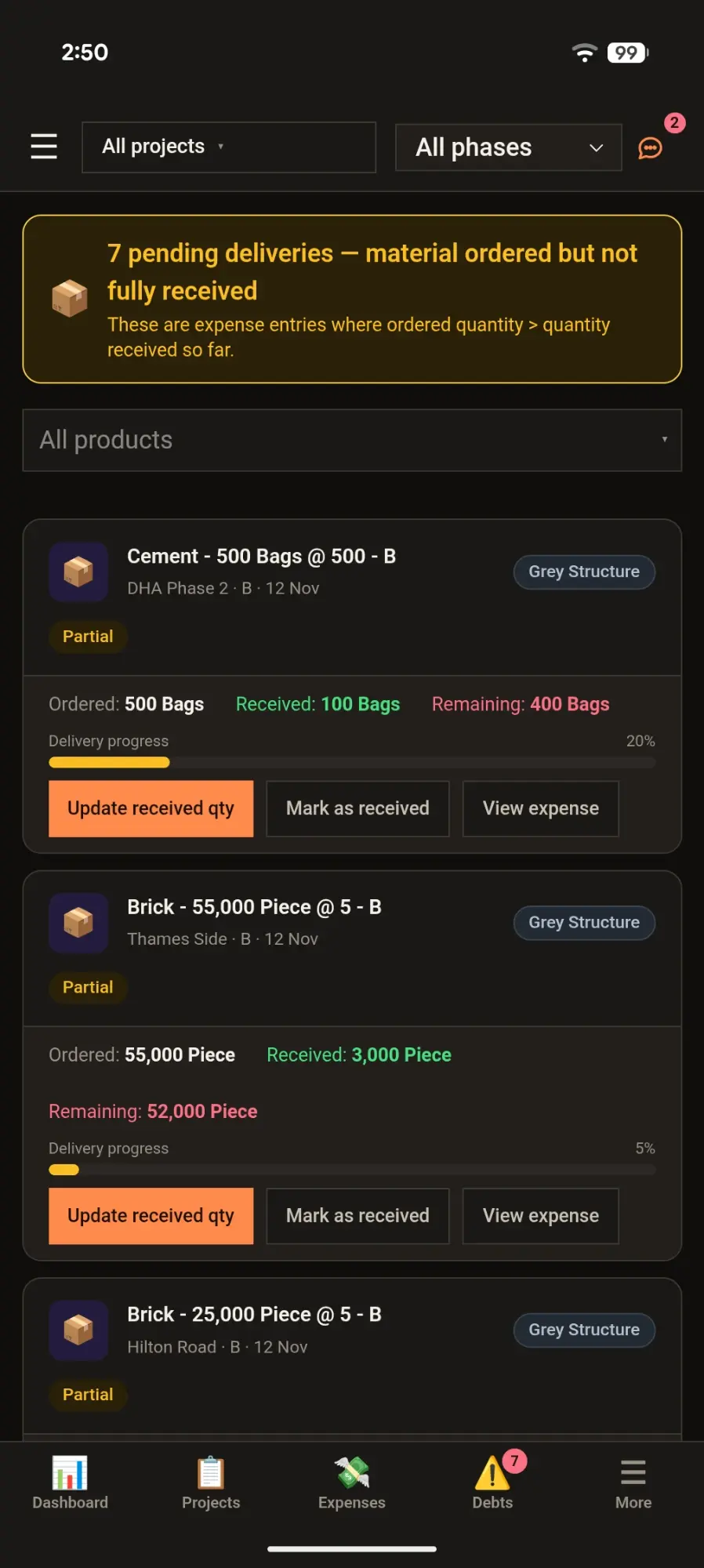
Plan versus reality
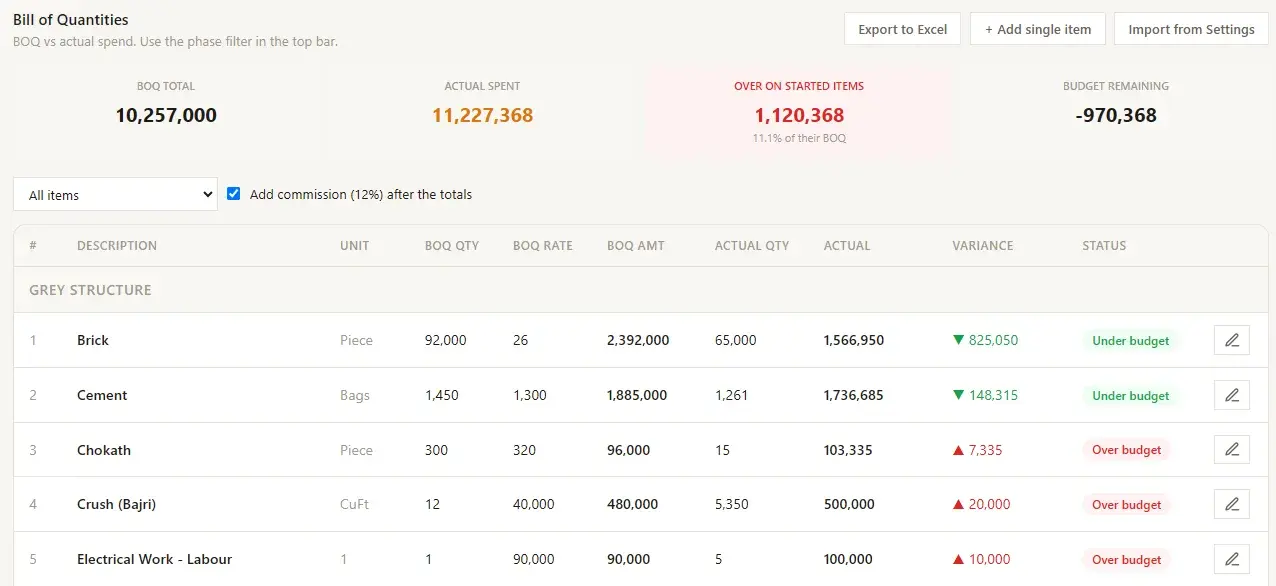
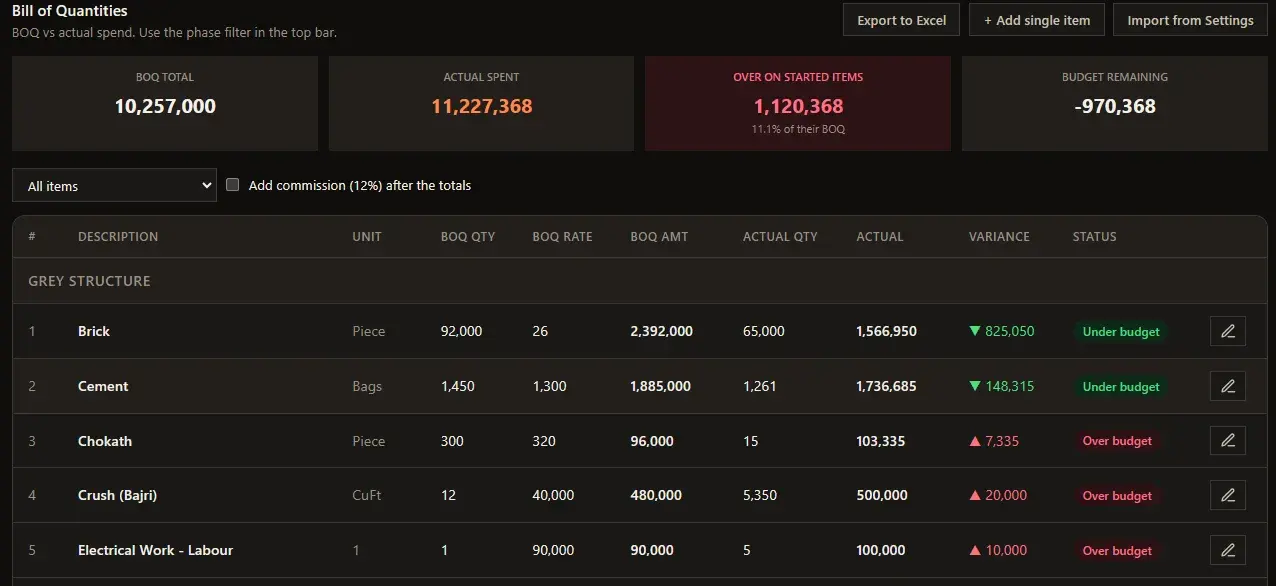
Spot overspending while there is still time to act.
Import your standard budget lines, set the quantity and rate for each project, and Brikvero lines up the actual spend against every item. Expenses count toward the BOQ item of their product automatically.
You never type a balance, a total or a status. Brikvero does the arithmetic.
Who it's for
Built for the way site teams work.
Contractors
Replace WhatsApp bills and notebooks with one record per project.
Builders
Compare budget and actual across all your sites without chasing updates.
Developers
Share progress and photos with clients through a read-only view of their own project.
Before and after
What you use today vs. Brikvero.
| Area | WhatsApp + Excel + notebooks | Brikvero |
|---|---|---|
| Bills | Scattered across chats | Attached to each expense |
| Deliveries | Remembered or forgotten | Ordered vs received, with alerts |
| Budget | Checked at project end | Compared live against the BOQ |
| Who can see what | Everyone or no one | By role and project |
| Changes | Can be edited silently | Recorded in an audit log |
Team roles
The right access for everyone on the project.
Roles decide which pages a person sees and whether they can only look or also add, change and delete. Changes take effect at once.
Owner
See everything. Only you can delete or restore projects.
Site supervisor
Log expenses and deliveries, top up petty cash, update milestones and photos.
Accountant
Manage expenses, repayments, commission, and petty cash, with read access to the BOQ and audit log.
Client
A read-only view of their own project.
Custom roles are available on some plans.
How it works
Up and running with your own project.
Step 1: Tell us about your projects
We help you set up product lists, phases, floors, BOQ items, and milestones.
Step 2: We create your first project
Client details, commission rate, BOQ, and dates.
Step 3: Invite your team
Add people by email and give each a role.
Step 4: Track and compare
Log spend and deliveries, and watch BOQ vs. actual update.
Your workspace is ready within 24 hours of finalizing your plan.
Trust
Your numbers stay yours, and stay honest.
Your company’s data is yours. Every change is recorded, every mistake is recoverable where it can be, and access is limited by role and by project.
No silent edits
Every change is recorded in an audit log that cannot be edited.
Account protection
Password rules, two-factor authentication, and a temporary lockout after five wrong attempts.
Recoverable
Deleted projects can be restored for 30 days. Team members are suspended, not erased.
Secure links
Password resets expire after 30 minutes and invitations after about a week.
Your data stays private
We do not share client data with anyone.
Pricing
One subscription. Pick the size that fits your company.
Plans differ by team size, number of projects, storage and included features. Prices are shown in PKR in Pakistan and in USD everywhere else.
Starter
A single builder running one or two projects.
$20per month- Users
- 3
- Active projects
- 1
- Storage
- 1 GB
- Attachments per record
- 4
- Documents per project
- 20
- BOQ (complete module) (not included)
- Reports (not included)
- Exports (Excel and PDF) (not included)
- Custom roles (not included)
- Audit log viewer (not included)
- Project activity history (automatic log) (not included)
- Email notifications (not included)
Growth
A small firm running several sites at once.
$150per month- Users
- 7
- Active projects
- 3
- Storage
- 2 GB
- Attachments per record
- 8
- Documents per project
- 60
- BOQ (complete module)
- Reports (not included)
- Exports (Excel and PDF) (not included)
- Custom roles
- Audit log viewer (not included)
- Project activity history (automatic log)
- Email notifications
Pro
For growing companies running many projects at once.
$300per month- Users
- 15
- Active projects
- 5
- Storage
- 5 GB
- Attachments per record
- 10
- Documents per project
- 120
- BOQ (complete module)
- Reports
- Exports (Excel and PDF)
- Custom roles
- Audit log viewer
- Project activity history (automatic log)
- Email notifications
Enterprise
For larger companies with several teams and many sites.
$450per month- Users
- 40
- Active projects
- 15
- Storage
- 20 GB
- Attachments per record
- 20
- Documents per project
- 200
- BOQ (complete module)
- Reports
- Exports (Excel and PDF)
- Custom roles
- Audit log viewer
- Project activity history (automatic log)
- Email notifications
Need a custom plan?
Tell us about your projects, team size and requirements, and we will talk it through with you.
All plans are set up and billed directly by our team. Need more users or projects later? Request an upgrade from Settings at any time. Renewal reminders arrive 14, 7 and 1 days before your plan renews.
FAQ
Questions builders ask first.
Does Brikvero work on phones?
Yes. Brikvero is a responsive web app, so it runs in the browser on Android, iOS and desktop. Site teams can log expenses, record deliveries and post progress photos straight from their phones.
How long does setup take?
Your workspace is ready within 24 hours of finalizing your plan. We set it up with your products, phases and BOQ lines and invite your team.
Does it work on weak site internet?
Brikvero needs an internet connection to sign in, partly because accounts are protected with two-factor authentication. Once you’re signed in it runs in the browser on any phone or computer, but it isn’t built for sites with no signal at all.
Which currency does it use?
Your company’s currency and time zone are set up for you when your account is created, so every amount is shown the way you do business. If you need them changed later, contact the Brikvero team.
Can we bring in our existing Excel data?
Yes. Share your existing product lists and BOQ in Excel and we’ll help import them while we set up your workspace.
Can my clients follow their project?
Yes, on plans that include client invitations. Clients get a read-only view of their own project, including expenses, commission, the BOQ and progress updates with photos.
What happens if we reach a plan limit?
Brikvero tells you which limit you reached and asks you to contact us. You can request an upgrade from Settings at any time, and the owner is alerted when usage goes over a limit.
Can I get my data out?
On plans with BOQ export you can download any project’s BOQ as an Excel workbook with live formulas. If a subscription is cancelled you can still look at your data and export for a while, in read-only mode.
What if we enter something wrong?
Expenses can be corrected with the edit button and every change is written to the audit log. Deleted projects can be restored for 30 days. Delivery records are permanent, so check the quantity before saving.
Is there Urdu support?
Not yet. The app is in English for now, and multi-language support is planned for a future release.
How do we get help?
Write to the team from inside Brikvero. Replies arrive in the same thread, with a bell alert and an e-mail when they answer or resolve your ticket.
See Brikvero on your own project.
Book a demo and we’ll walk through your own BOQ, or reach us directly: Chat on WhatsApp (opens WhatsApp in a new tab) or office@atombits.co.